Back

Payroll

Role
Lead Product Designer
Year
2022

I designed a responsive web tool from zero-to-one, helping 16,899 small business owners take on payroll themselves

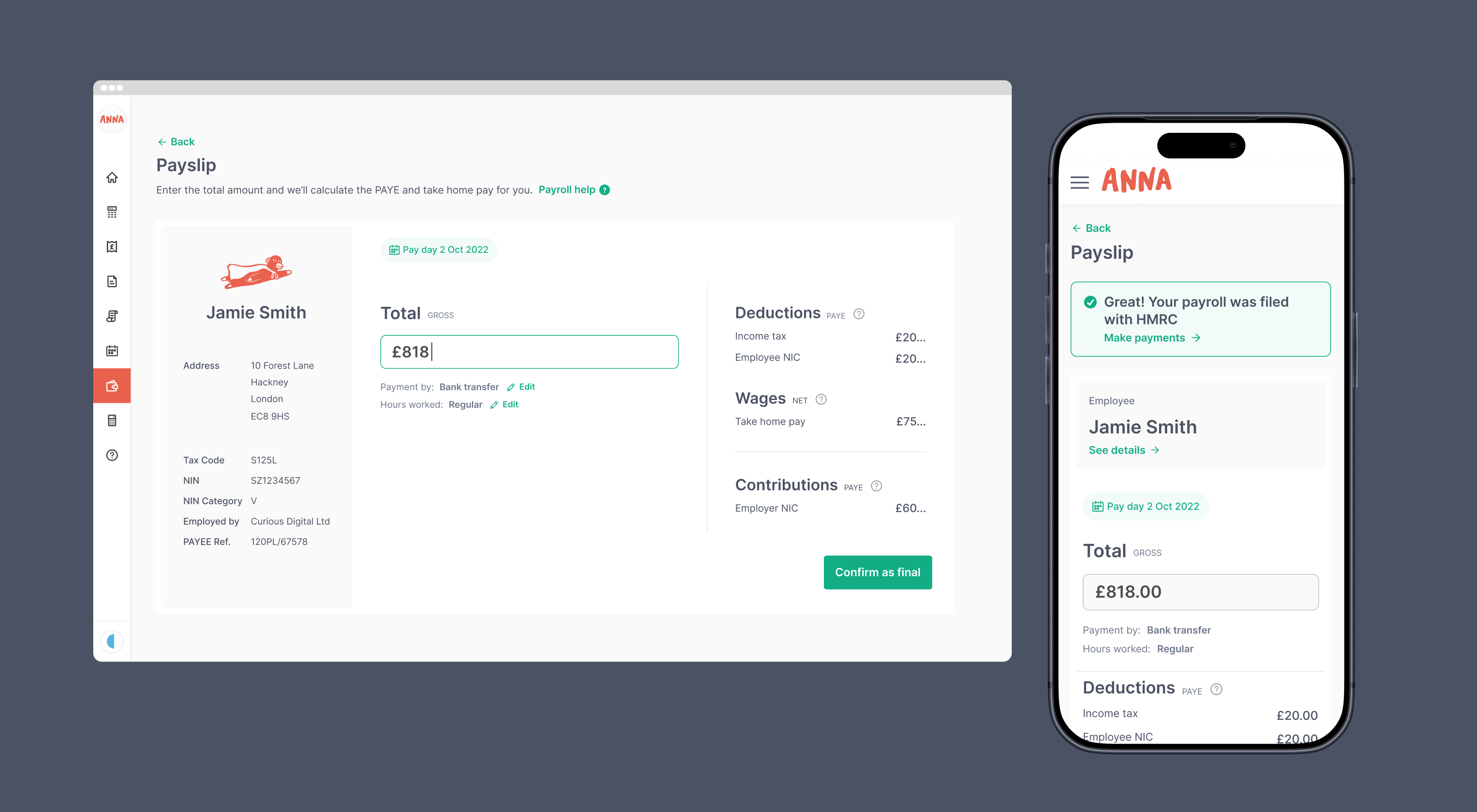
ANNA payroll payslip screens on desktop and mobile

Problem

Business owners wanted to run payroll themselves, but were afraid of getting it wrong

Their options were to hire an accountant, pay for expensive software, or struggle through complicated free HMRC tools. ANNA wanted to acquire new customers with a free tool that made payroll simple, with the aim to upsell them to a paid plan later.

The opportunity

How might we help business owners run payroll themselves, without fear of getting it wrong?

Team size: 7
Me, a frontend engineer and a backend engineer, with input from several product owners
Timeline
3 months in 2022, alongside other projects
Client
ANNA Money, 100,000+ small business owners in the UK and Australia

What I did

The impact

I led product design end-to-end. I ran user research, designed the UX, and used and contributed to ANNA’s responsive web design system.

I navigated feedback from multiple product owners who had differing views, and partnered with engineers to release the product in the market.

  • User research
  • Persona
  • Competitor review
  • User flows and journeys
  • Wireframes
  • Usability testing
  • UI design and design system
  • New customer funnel

    The new funnel generated 16,899 accounts post-launch, ready to engage and monetise

  • 88% started payroll

    Most new accounts created went on to start running their payroll

  • 3,738 engaged

    People completed at least one payroll task in the first 6 months

Process Step 1

I spoke to customers to understand their views

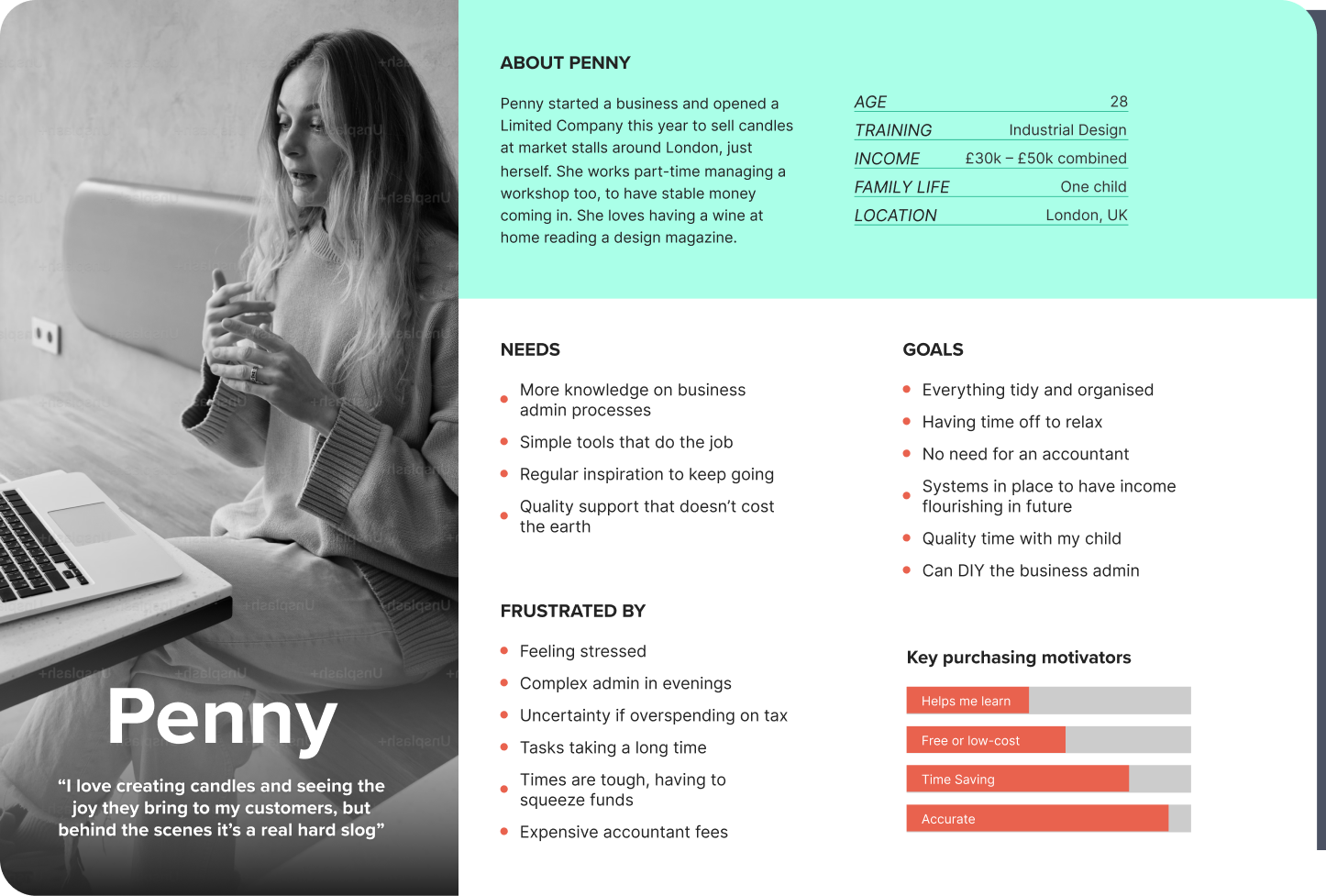
I turned existing customer research into a persona, then interviewed customers to understand their payroll problems in more depth.

The persona, Penny, was a business owner paying a salary for the first time, doing admin in the evenings after running her business. In the interviews, one theme kept coming up: people were afraid of getting payroll wrong.

Persona card for Penny, a candle maker running a limited company, with her needs, goals and frustrations

What customers told me

The persona and user interviews generated insight I’d use to drive design decisions.

Insights uncovered

  • ‘I have no idea how to do it’

    Customers didn’t know how to set up and run payroll.

    They felt lost, daunted, and wouldn’t know where to start.

  • ‘I don’t know how to pay the right tax amount’

    Customers were very worried that they wouldn’t be able to calculate and pay the right amount of tax.

  • ‘I don’t want to miss a deadline’

    People were afraid of forgetting to pay the employee or HMRC on time. They weren’t sure of their deadlines required by HMRC.

  • ‘I don’t have time for this’

    Customers ran small businesses, often with 1–2 employees. Admin like payroll ate into time they’d rather spend with their family.

    They needed payroll to be quick to get through.

  • ‘I can’t afford an accountant’

    Times were tough, and paying an accountant to do financial admin was expensive.

    Customers wanted to save money by doing it themselves, if they could trust the result.

  • ‘I want to be better at financial admin’

    Customers wanted to be more self-sufficient as business owners, and were keen to learn.

    They were happy to take on admin tasks if someone guided them through it.

Process Step 2

I reviewed competitor tools

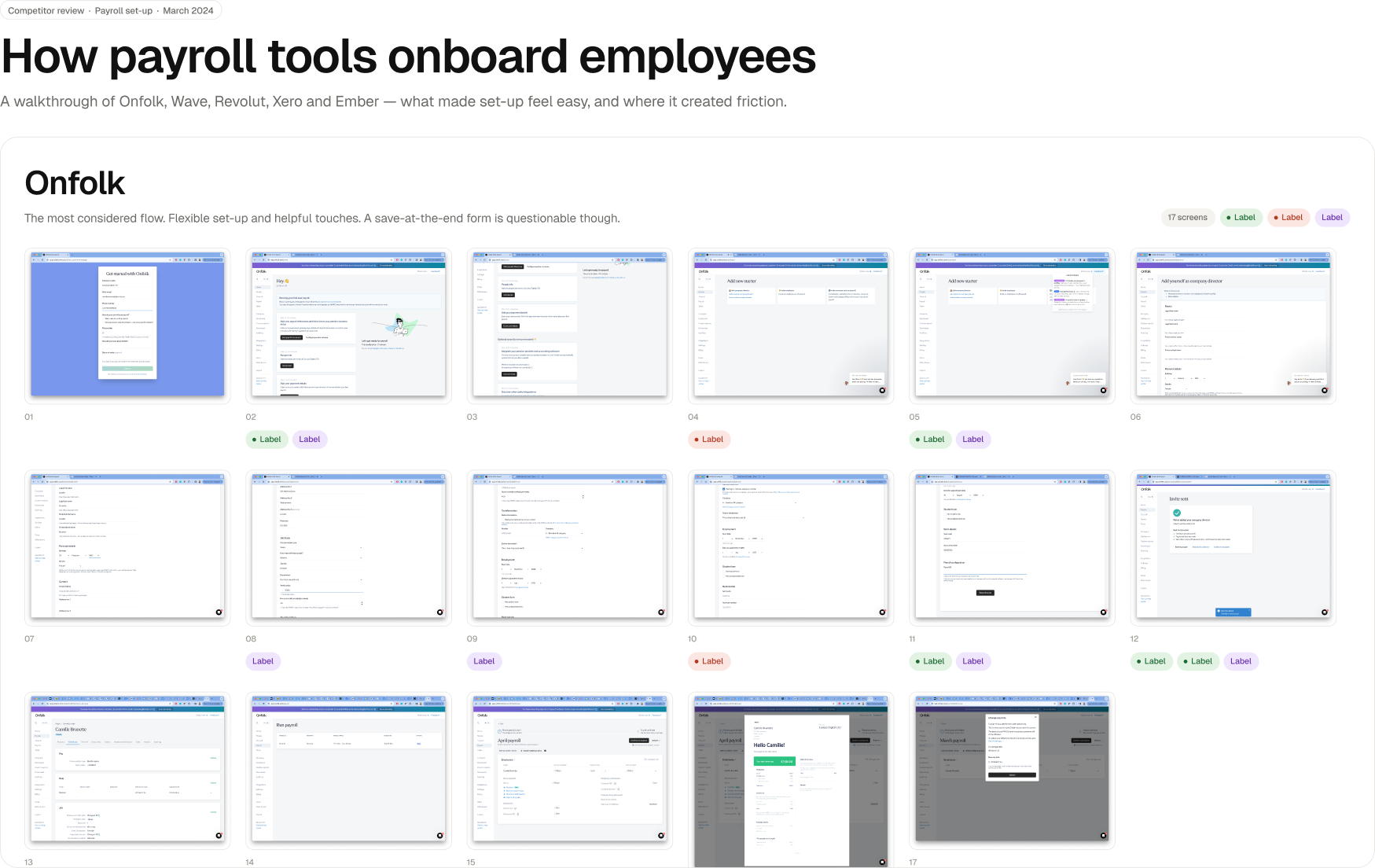
I reviewed five payroll tools, including Onfolk, Wave, Revolut and Xero, to see how they handled key steps such as setting up, filing, sending payslips, etc.

The best setup flows were flexible, letting people add information in any order (preventing blocked points based on a question). Good tools used simple terminology and explained concepts. The weaker ones felt a bit overwhelming with a lot of content.

Some interesting ideas came to light about sending a request to other people for required information – such as an accountant or the employee being onboarded. A handy trick for directors to offload work.

Screens from competitor payroll tools Onfolk, Wave and Revolut, annotated with notes

Process Step 3

I mapped the experience in sections

A developer had researched the technical requirements and listed a large number of complex things we needed. I grouped the content logically, worked out what belonged where, set the hierarchy of content, and looked for user-friendly ways to handle tricky parts like registering for PAYE.

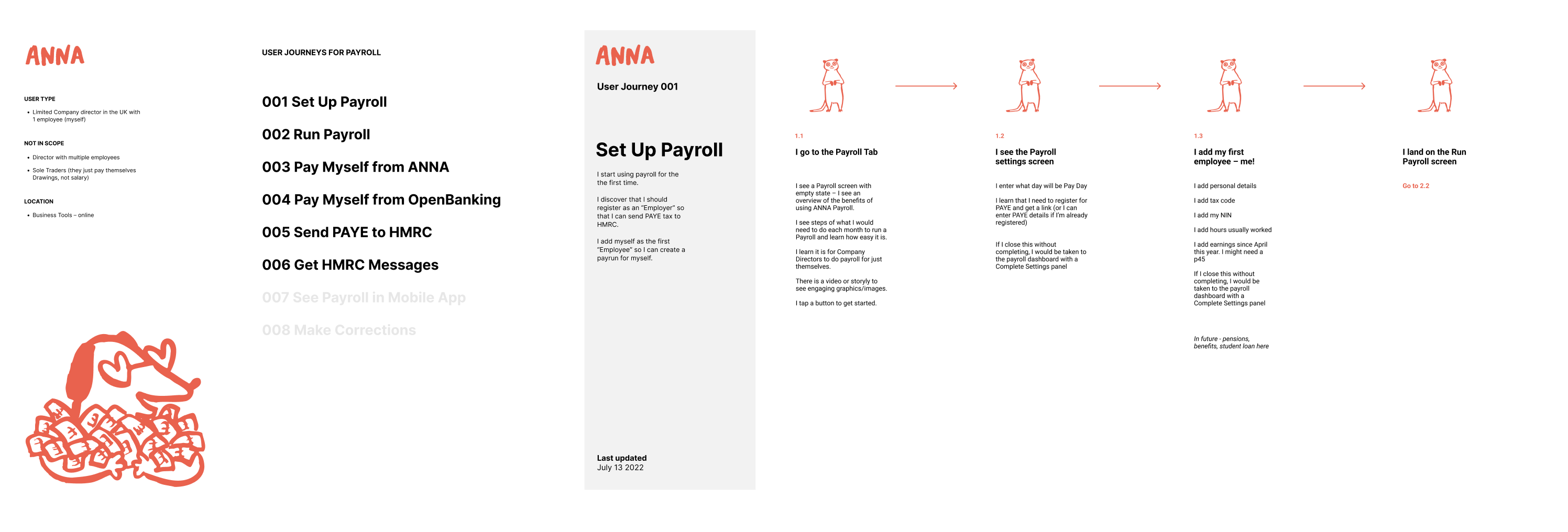
I defined high-level stories and created user flows and customer journeys. The whole team used them to understand and discuss what we were building.

The ‘Set up and run payroll’ user flow beside the first steps of the ‘Set up payroll’ user journey

Process Step 4

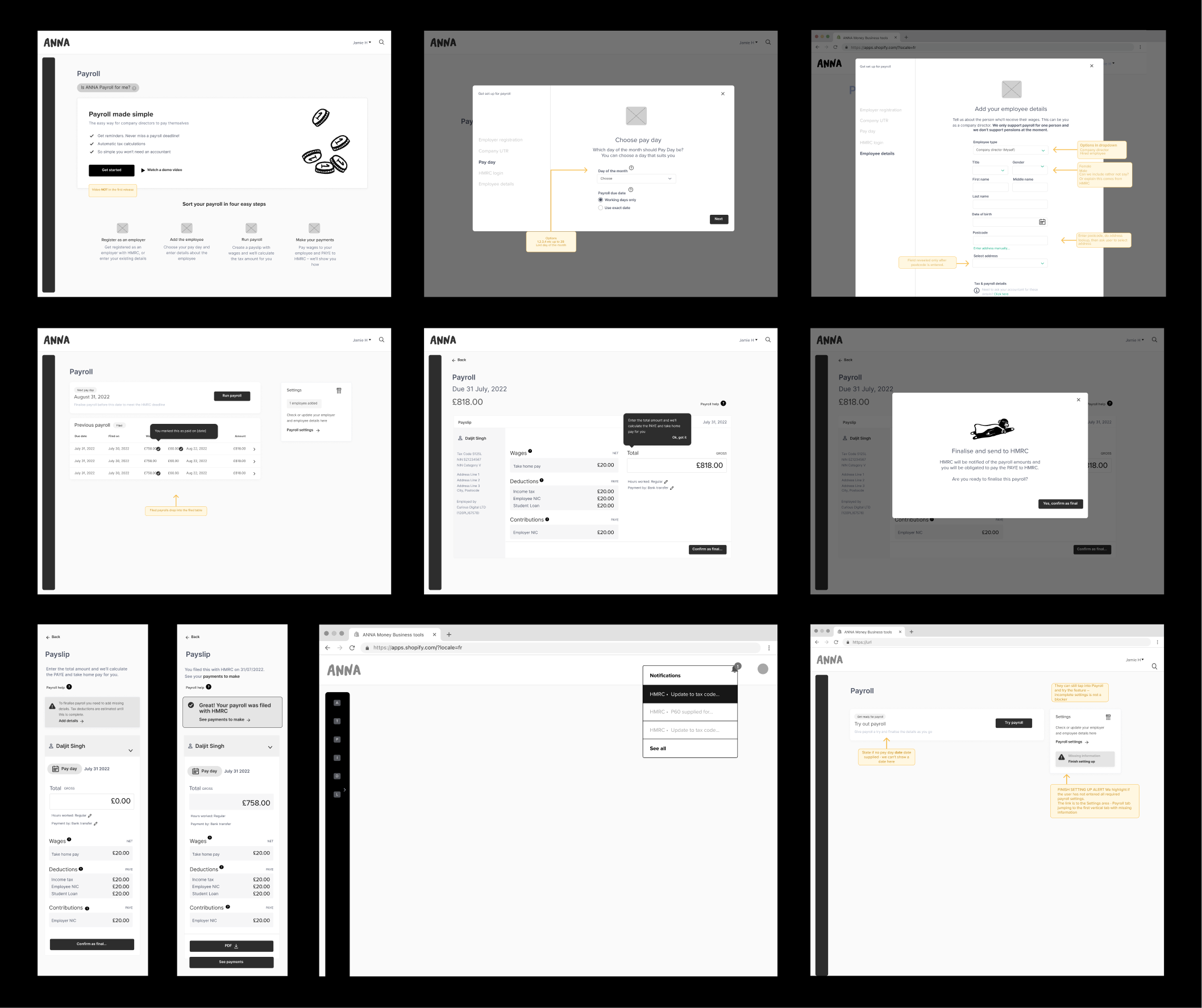
I wireframed screens, exploring options

Wireframes helped me find the best solutions (in 2022). For example, I tried different layouts for the run payroll screen, and chose an option with the minimum UI required for comprehension.

I considered a notification centre to remind people when payroll was due, but ruled it out because it would take a high effort to build and widen scope, choosing a simpler option.

The notes on the wireframes helped engineering plan for states and scenarios ahead of time – I defined the content.

The ~40 wireframes I created expanded to ~80 screens as the project extended post-release.

Annotated wireframes of the payslip page

Process Step 5

I tested and iterated with real users

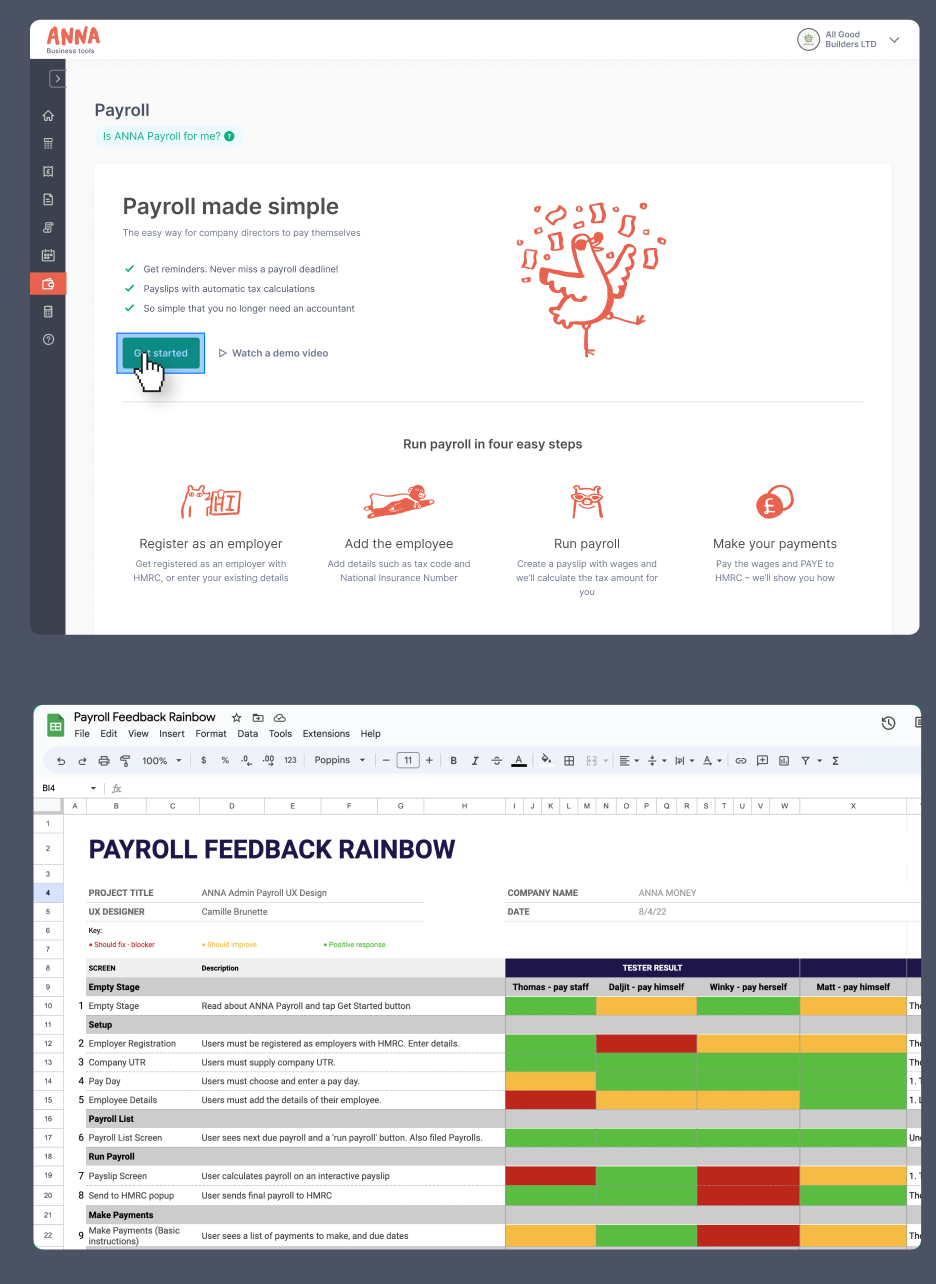
Before development, I built a high-fidelity prototype in Figma and tested it with 5 existing customers, using a script of open questions. I grouped the results in a rainbow sheet to find the strongest themes, then wrote a list of changes.

My biggest learnings:

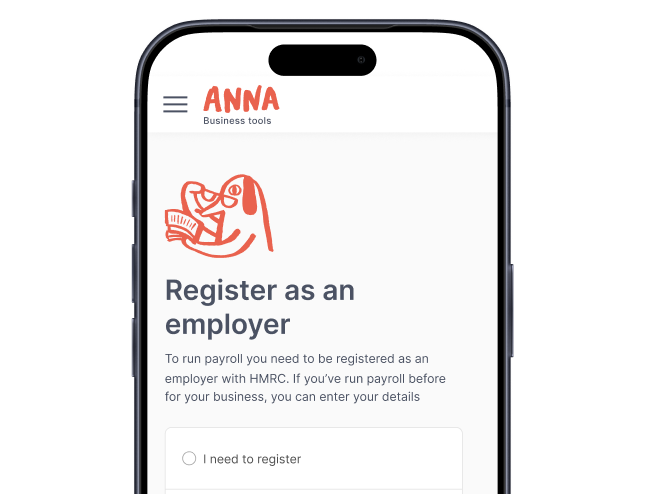
  • The step where users entered PAYE registration details (or started the registration process) would need clear guidance and hand-holding to prevent friction
  • People wanted to run seamless payments to their employees and HMRC right from ANNA
  • Missing features were going to be important for some employers, such as pensions and annual salaries
The tested prototype’s ‘Payroll made simple’ screen above the payroll feedback rainbow sheet

Process Step 6

I used and updated the design system

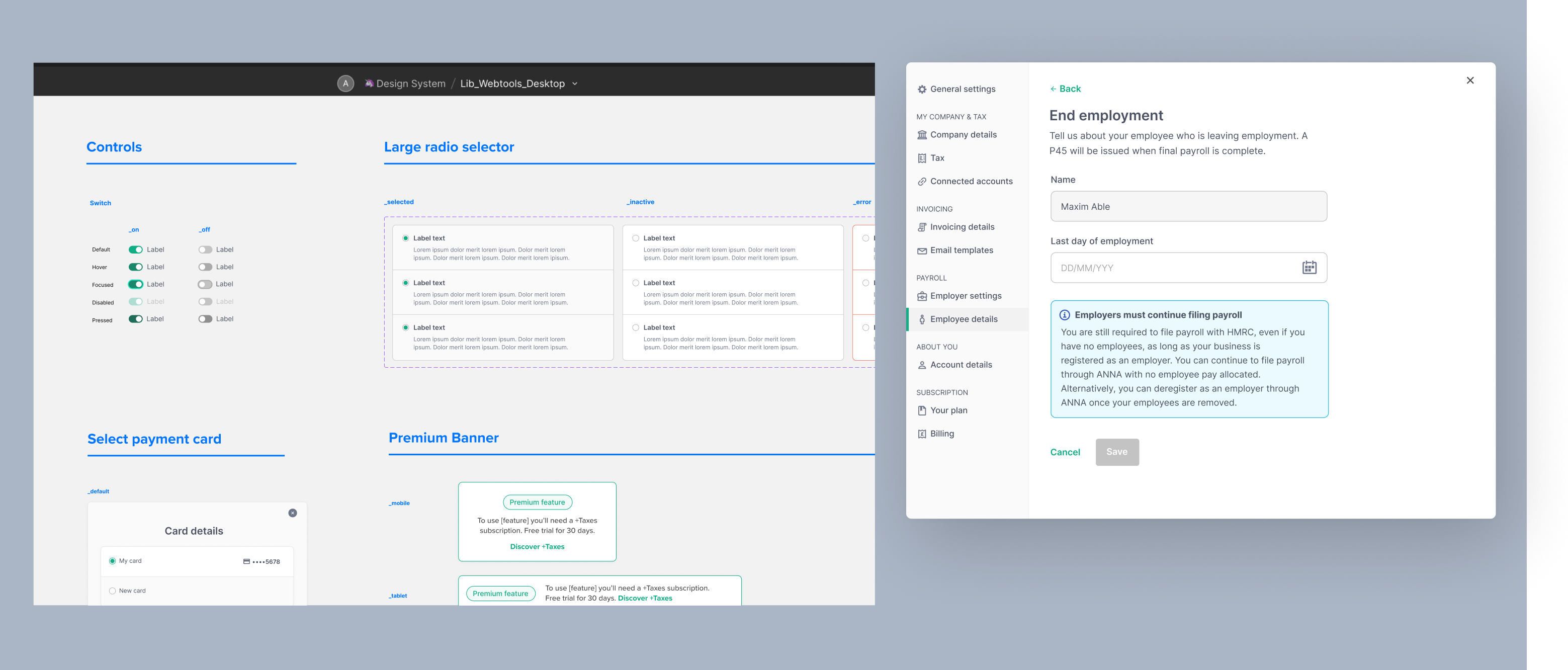
A UI designer first helped to build out a design system in Figma, creating new components and translating wireframes into final mockups. When she left, I took over. I worked from her component library, reusing components or making new ones, and mocked up complete screens for new features we added.

Design system pages for controls, radio selectors, payment cards and premium banners

Solutions

View final designs that shipped for the payroll filing tool

Onboarding

The user sets up payroll one step at a time

Users told me they didn’t know much about payroll and were short on time. I split onboarding content into succinct screens, so each step felt focused and simple. To prevent blockers, I made setup non-linear; users can complete what information they have to hand, and fill in gaps later.

Auto-save was deployed so that any entered information was not lost under an overlooked ‘Save’ button.

To offset any feelings of mental stress completing a lengthy set of tasks, I ensured plenty of white space and ANNA’s cheerful brand illustrations were included.
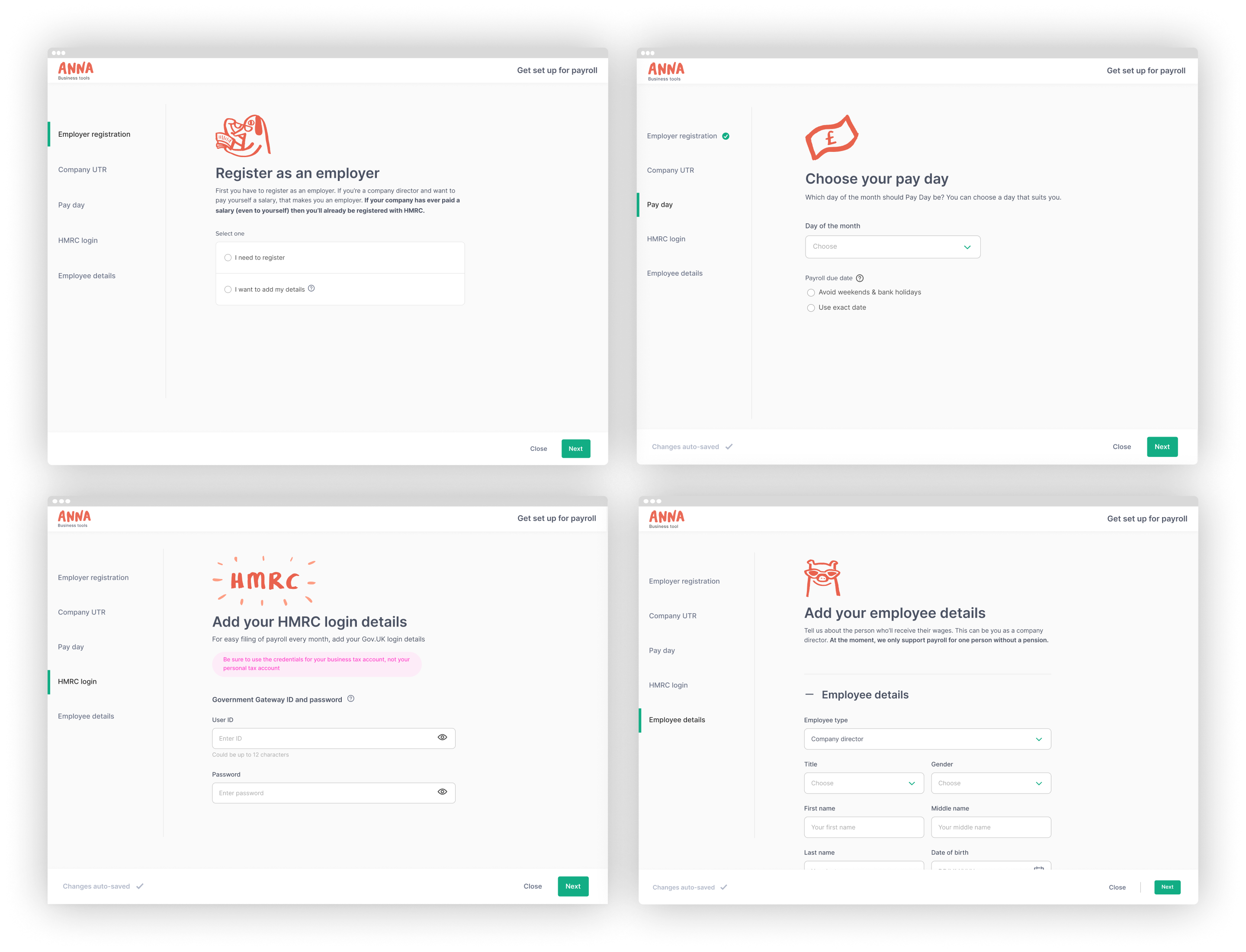
Onboarding steps for choosing a pay day and adding HMRC login details

Run payroll

The user sees the tax calculated as they type

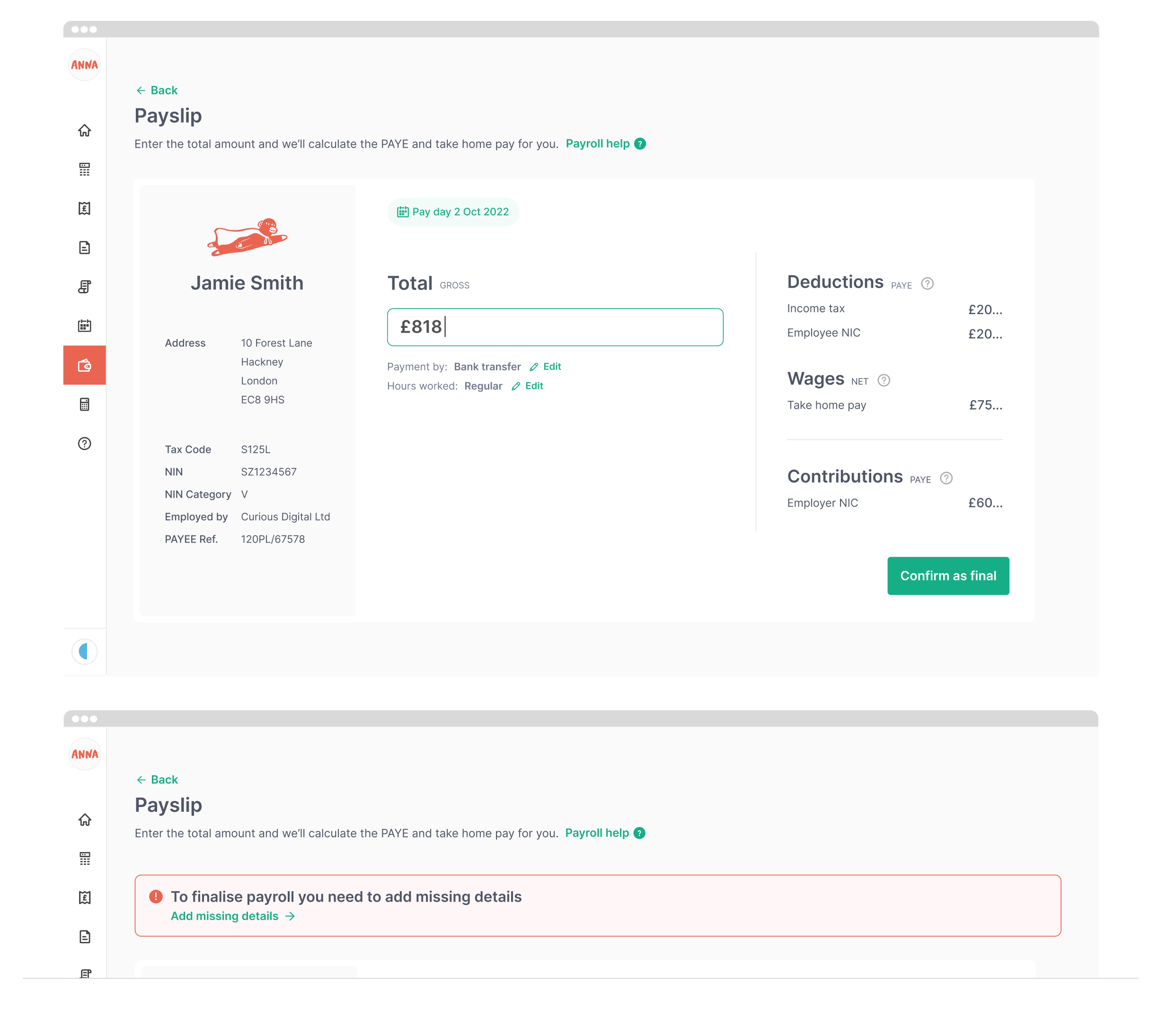
Users enter a total amount and see the tax calculated straight away, so they know exactly what payroll will cost. This was designed to help with the fear uncovered in early customer research, of not knowing how much tax they’d need to pay to HMRC.

I designed the step as an interactive payslip, because payslips are familiar to people and an easy reference to work from. This intuitive aspect tied into the customer desire to learn how to do new admin tasks.

With onboarding being skippable and non-linear, users could try running payroll before they had all their details to hand. This was designed to increase early engagement and, in turn, filing conversion. There was simply a noticeable red banner reminding them to finish setting up (bottom image).

The interactive payslip with the tax worked out from the total, and below it the red ‘add missing details’ banner

Payroll reminders

The user gets reminded before payroll is due

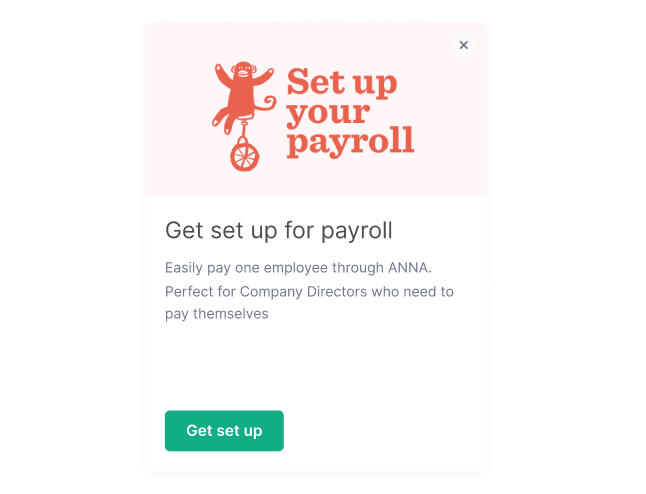
Customers were afraid of missing payroll deadlines. I created reminders in the mobile app with push notifications, as well as cards for the dashboard (joining the timeline screen I’d designed), as well as reminder emails.

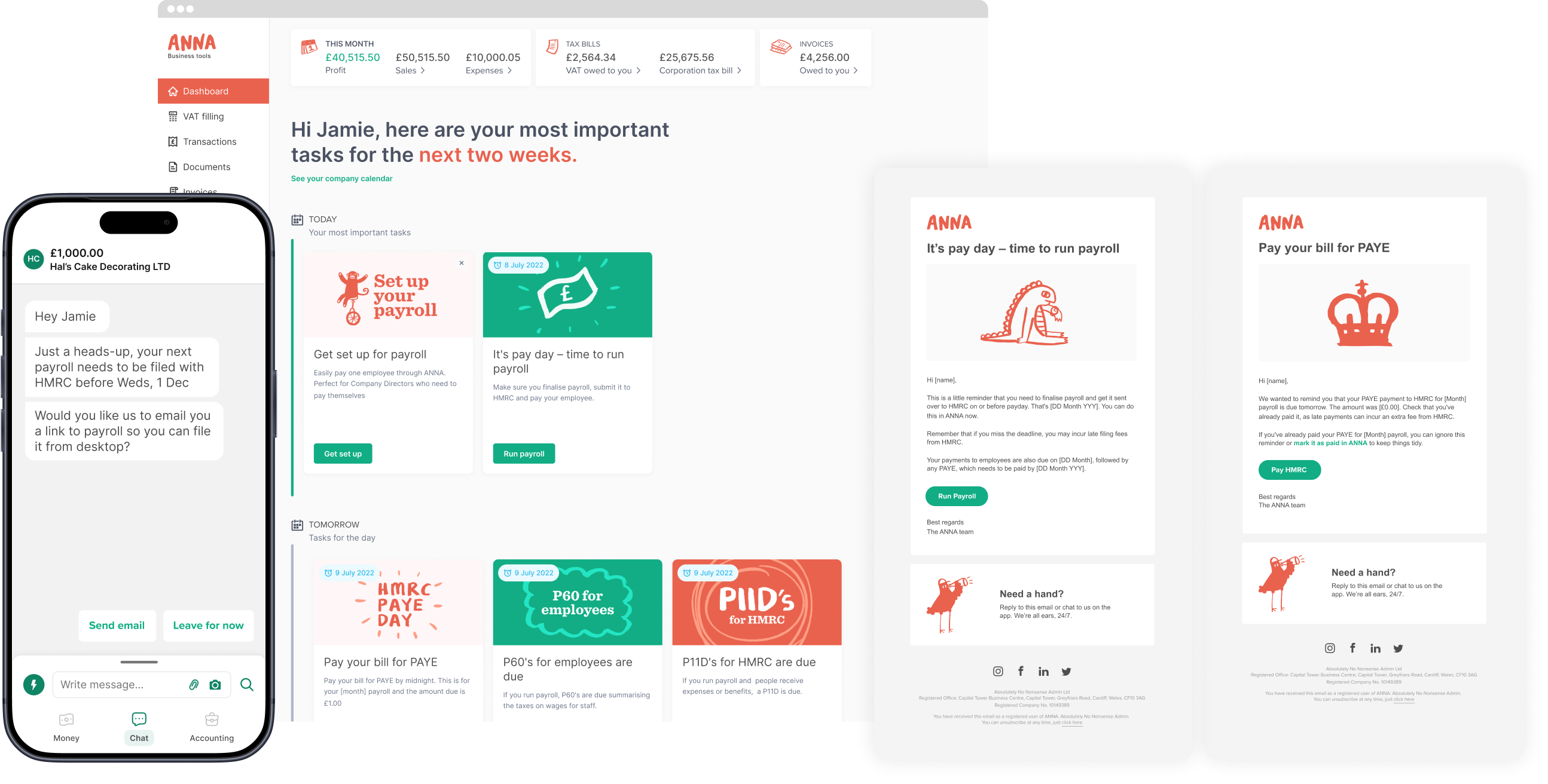
Dashboard reminder cards for pay day and P60s, beside reminder emails for payroll and paying PAYE to HMRC

Fully responsive

The user can run payroll on their phone

Business owners had said they are limited on free time and are juggling a lot, so I made sure the tool worked well on mobile as well as desktop, so they could file whenever and wherever it suits them.

For a good mobile experience, some components were designed to stack content vertically and reveal more from tapping buttons. Buttons were clear and not ambiguous, using wording and not a symbol that needs to be deciphered – following accessibility guidelines.

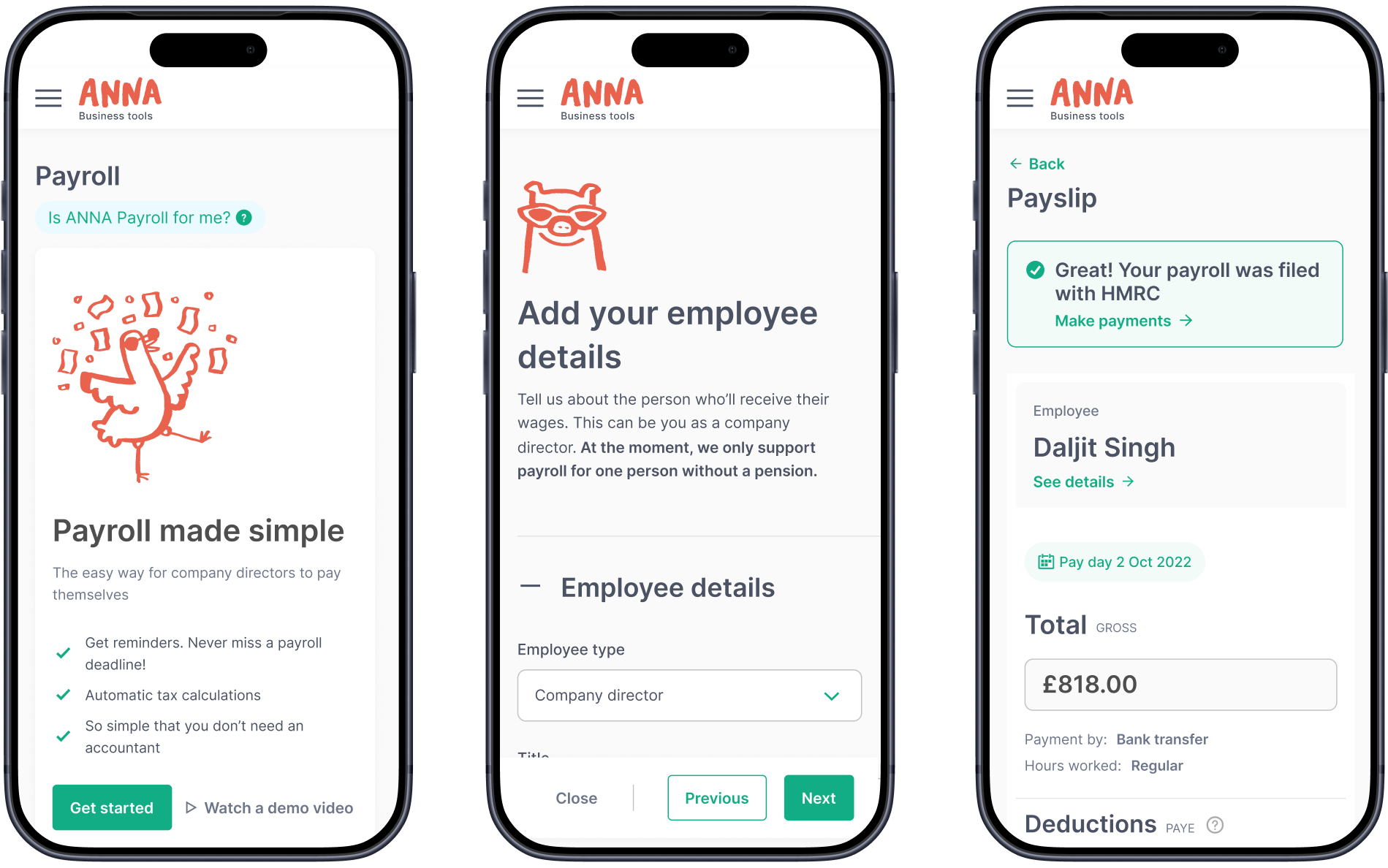
Three mobile screens: the payroll welcome screen, employee details and a filed payslip

Outcomes

The impact

New users signed up and used payroll

  • A business owner smiling at her phone on a London bus

    New customer funnel

    The new funnel generated 16,899 accounts post-launch, ready to engage and monetise. Many filed their payroll, and a few years on, a valuable number regularly subscribe to the payroll plan or upgrade to ANNA’s full taxes plan.

  • Dashboard card reminding the user to file payroll

    35% onboarding completion

    88% of new accounts went on to start running their payroll and 35% got through onboarding, via a large number of screens with tasks required outside of ANNA (such as registering for PAYE with HMRC).

  • Payslip screen confirming payroll was filed with HMRC

    Extra products to sell

    Payroll spawned the ability to charge for smaller actions within the main tool itself. This included assisted support to register businesses for PAYE, so people don’t have to do it themselves.

After launch

Improving performance post-release

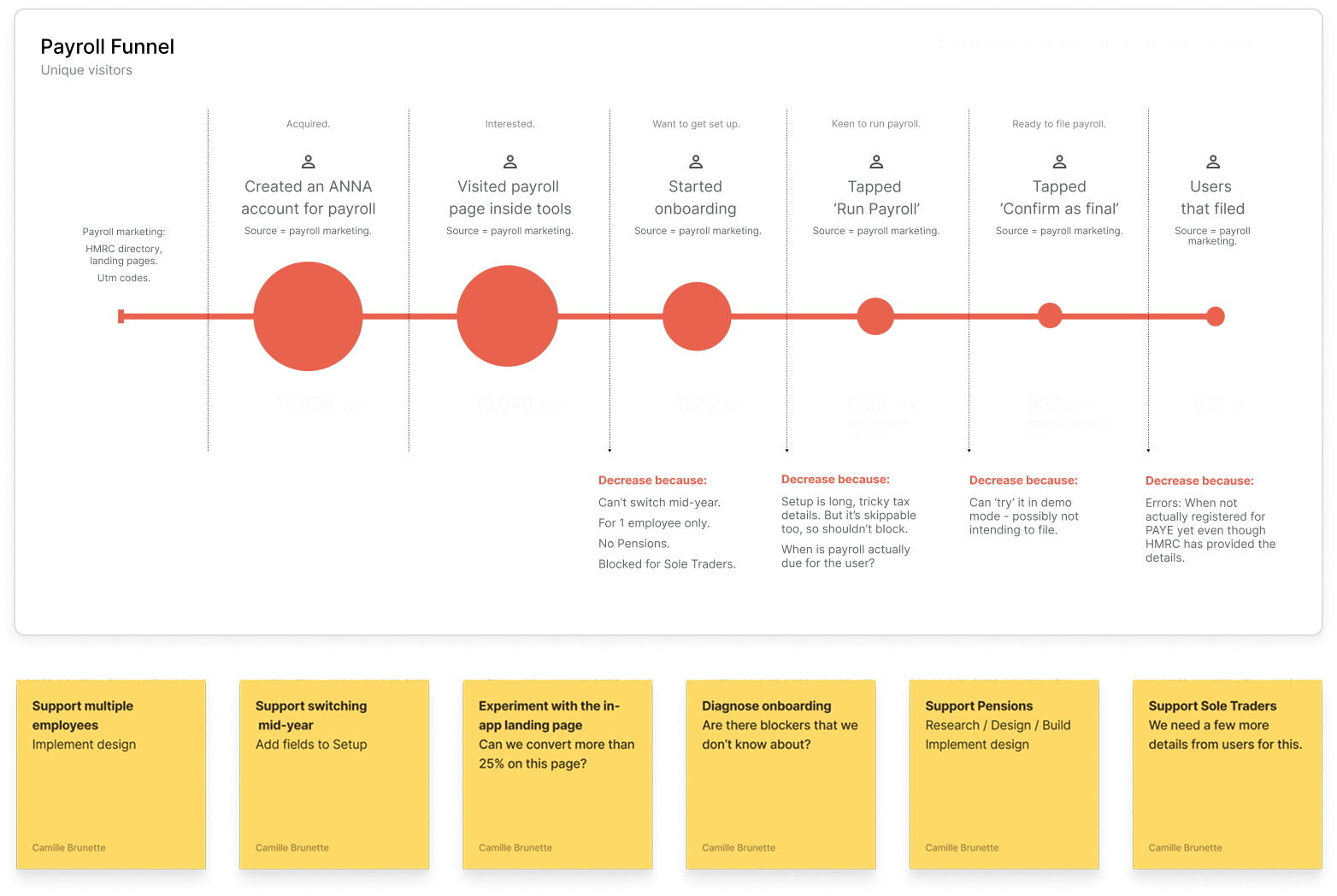
I asked for figures soon after release and made a diagram showing how the funnel was performing. We expected drop-offs, because some features were still missing.

I noted what could be causing each one, how we might fix it, and kept reminding the team of the improvements to make.

We kept improving the tool in weekly sprints, adding things like paying more than one employee and starting to use the tool mid-year.

Diagram of the payroll funnel after release, showing where users dropped off

Ask questions and learn more

Book a call with me and I’ll walk you through the full story and answer any questions you have